Those of you that have immersed themselves into the Cisco Certification realms, understood that just about everything changed on February 24th, 2020. Cisco decided to change all of their certificates and their certificate learning tracks. The one big change that most of those trying to break into the Cisco certificate realm noticed was that ICND I and II went away.
Honestly the changed that took me by surprise and one that I didn’t see a lot of advertising on, and the change that has the biggest impact to those with current certificates, is Continuing Education. In the past, the only people that could enroll in the continuing education program for Cisco, were those that held the CCIE certification(s). On 24 February that all changed. Now Cisco is offering their CE program for every level of certification.
HOW TO ENROLL:
This was a little hard to wade through on how to enroll. I would go to Cisco’s Certification track website https://cisco.pearsoncred.com/ and see a check box under my CCNA and CCNP certs, the new ones titled “Continuing Education” but I could not select them. Of course the CE Activities page was completely blank.

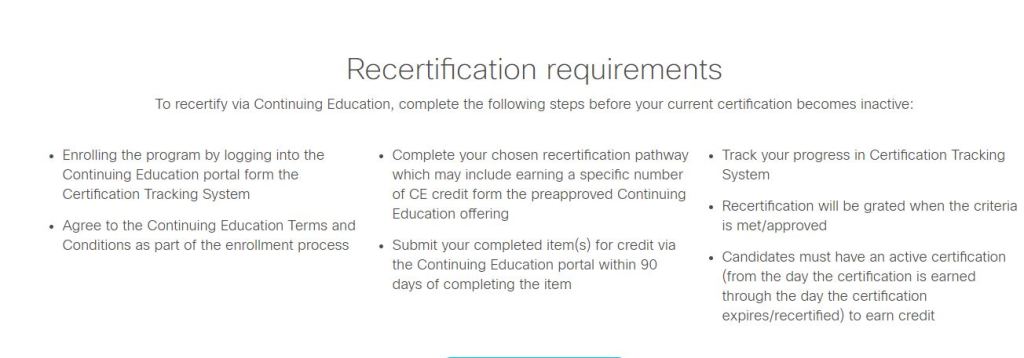
My search took me to https://www.cisco.com/c/en/us/training-events/training-certifications/training/continuing-education-program.html, which is Cisco’s training website on continuing education. The import part of the site was listed under their Recertification Requirements.
Big deal right. But, where do I go from here. Which took me to https://ce.cisco.com/#/dashboard, which showed my Cisco certificates that were current as well as a CE credits summary, which was a gray empty wheel.
If you get anything out of this, this what you need to know. Once you visit the https://ce.cisco.com/#/dashboard website and login with your Cisco credentials, you have enrolled in the Cisco CE program. Even better, they give you a catalog of approved Cisco courses with credit hours that will go towards your certifications. It was pretty easy to do.
EXAMPLE:
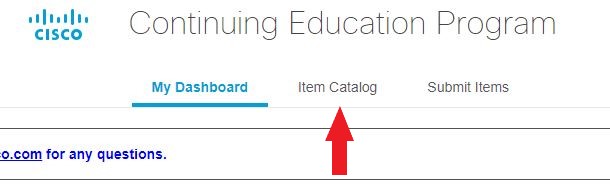
As an example, I decided to try a distance learning class to see how it worked. I clicked on the “Item Catalog” at the top of the page.
Once in the Catalog page I started typing the first three letters of a popular Cisco program like DevNet. And it auto-populated the DevNet Associate Fundamentals course. Then hit the “Search” button to the right of the search fields. It will fine tune what’s visible just below that. Once there hit the “View Details” option to the far right of the course.
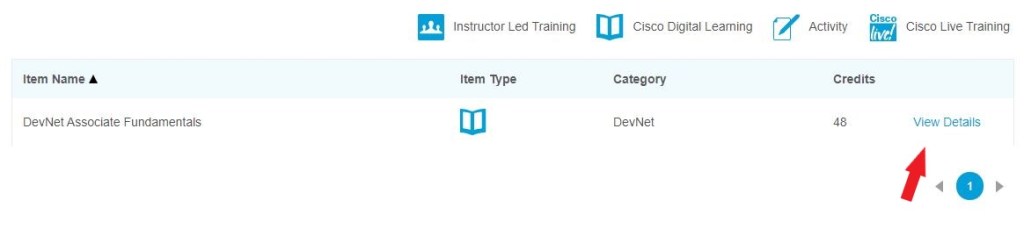
Note to the above image: each dictates what medium each course is taught in. For example the DevNet course I selected is a Cisco Digital Learning medium, which means its an online offered class.
Next hit the “View Details” option to the right of the course again.

That will take you right to the Cisco Certified DevNet Associate website training course and you can login from there.
Once you finish the class, if you choose to enroll, you can submit your course completion certification at the https://ce.cisco.com/#/dashboard website by selecting the “Submit Items” option at the top of the page. In about 24-48 hours later you will get an email stating whether or not the provider has approved your application for Continuing Education credits.
I worked through the above class over the course of a week, about 7 days, off and on. About 24 hours after I submitted my certification for CE credit, I got a approval response to my email that I have my Cisco account registered to. With just 48 credits from that class, my CCNP, which I recertified in August of 2019, which had just over 800 days listed on my CE dashboard before I started the course, now had 1050 days to expire. The course renewed my certifications from the date the course certificate was awarded.
For those of you who struggle through which test to take to renew your Certificates, this a game change.
Thanks for reading and I look forward to your comments.
Shane
 HOME NETWORKING